Restaurant POS system with tables and a kitchen screen
Set up your floors and tables, take orders at the table or the counter, and send them straight to the kitchen screen. The cashier, the waiters and the kitchen all see the same orders as they change.
- Floors and tables, with busy tables visible from the cashier.
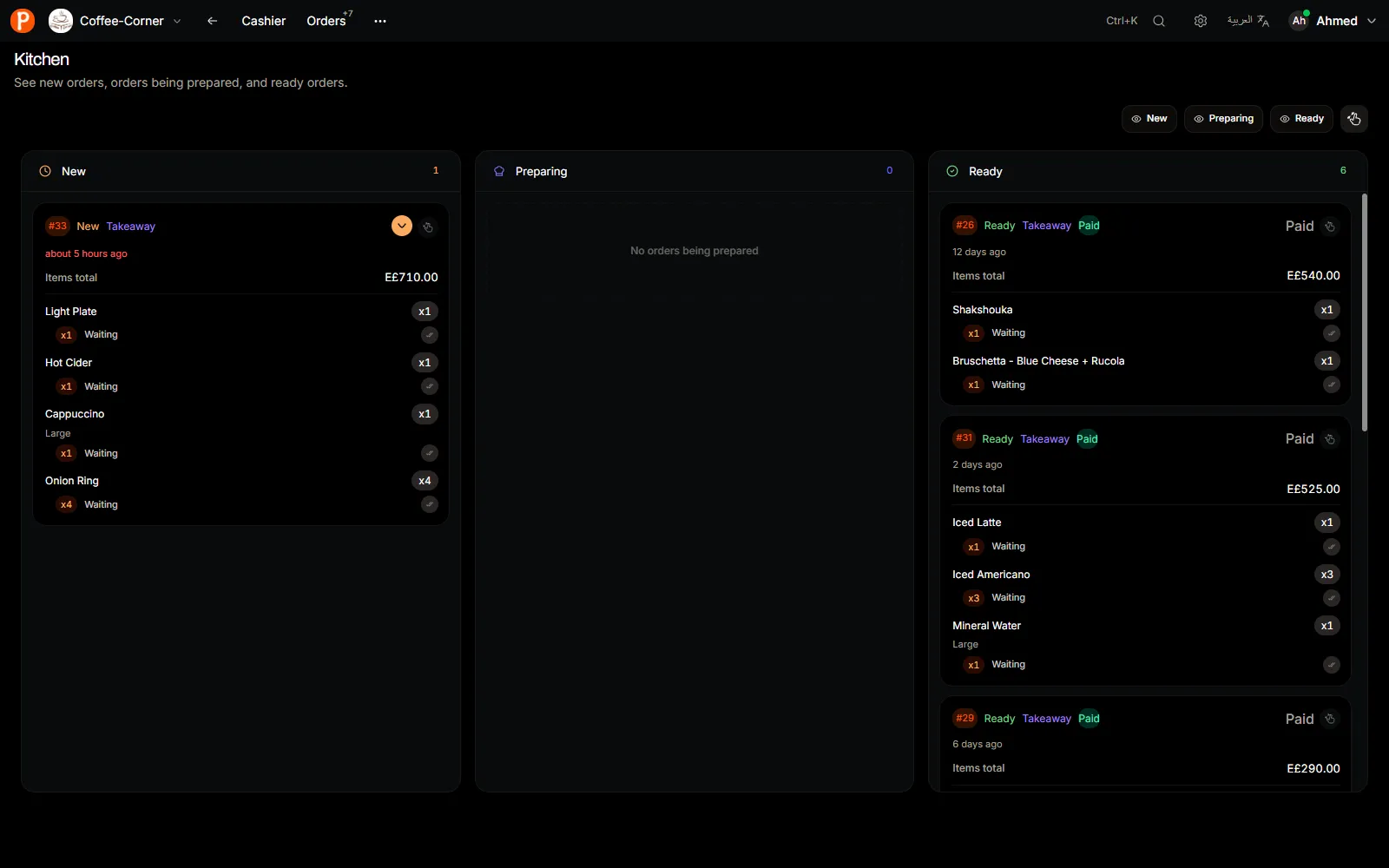
- A kitchen screen with New, Preparing and Ready columns.
- Move an order to another table, edit or cancel it with permission.
- Works on the laptops, tablets and phones you already own.
Tables and floors
Add each floor you serve (indoor, terrace, upstairs) and the tables on it, by name or number. When a waiter opens a dine-in order, they pick the table, and the cashier sees which tables are busy.
- Dine-in and takeaway orders in one list for the shift.
- Move a dine-in order when a group changes tables.
- Take payment by cash, card or wallet.
The kitchen screen
Put any tablet or screen in the kitchen and open the kitchen view. New orders appear at once; the cook taps an order to move it to Preparing and then Ready, and the floor sees it change.
Your menu, once
One menu feeds the cashier and the QR menu your guests scan: categories, items, sizes, extras and photos. Hide an item from the QR menu when it sells out.

Control for the owner
- Shifts with opening cash, cash in and out, and a counted drawer at close.
- Roles for each account, so only managers cancel orders.
- Daily and monthly sales, top items and cancelled orders.
- On Growth: stock, purchases and waste, expenses and profit, and two branches.
PufferPOS does not connect to delivery apps such as Talabat yet, and it needs an internet connection to work.
Price
Starter covers one restaurant with tables, kitchen screen and five accounts. Growth suits busier restaurants: 15 accounts per branch, two branches, stock and expenses.
| Plan | Monthly | Quarterly | Yearly |
|---|---|---|---|
| Starter 1 branch · 5 accounts per branch | EGP 800 | EGP 2,208 | EGP 7,680 |
| Growth 2 branches · 15 accounts per branch | EGP 2,200 | EGP 6,072 | EGP 21,120 |
Questions restaurant owners ask
Can waiters take orders on their phones?
Yes. A waiter signs in on a phone or tablet and opens orders for tables; the cashier and kitchen see them at once.
Can I run two branches?
Growth includes two branches, each with its own staff, orders and reports. You can add more branches for a monthly fee.
Does it print kitchen tickets?
The kitchen works from the live kitchen screen rather than paper tickets. Customer receipts print on any thermal printer with a Windows driver.
Can I try it before paying?
Yes. The 14-day trial has every feature, including AI, and needs no card.