Built behind a real counter. For the people who run the shift.
PufferPOS started in a café-workspace in Port Said. Today it runs the whole day for cafés and restaurants: the cashier, tables and kitchen, your menu and QR menu, stock, expenses, shifts and your team, with Puffy AI answering from your real numbers.
It started in a café. In Port Said.
In late 2022, a café-workspace opened in Port Said and ran its day on paper. Ahmed, who was teaching himself web development, saw the place, built a demo and brought it to the owners. They tried it with their team.
What followed was less a launch than a working conversation. People used the system during real shifts, pointed at what slowed them down, and asked for the next useful piece. Orders, menus, shifts, stock, expenses and the people who touch them had to make sense together.
That is still how PufferPOS is built: around a real operation, so the team gets through the day with fewer things to piece together later.
- Late 2022
A Port Said café-workspace runs its day on paper.
- The first demo
Ahmed brings a working demo; the owners try it with the team.
- Built from feedback
Daily notes from real shifts decide what gets built next.
- Today
Cafés and restaurants run the whole day on it, and Puffy AI is live.
One system for the whole day. From first order to closing.
Works in Arabic and English, on the phones, tablets and computers you already have.
- 01Cashier and orders
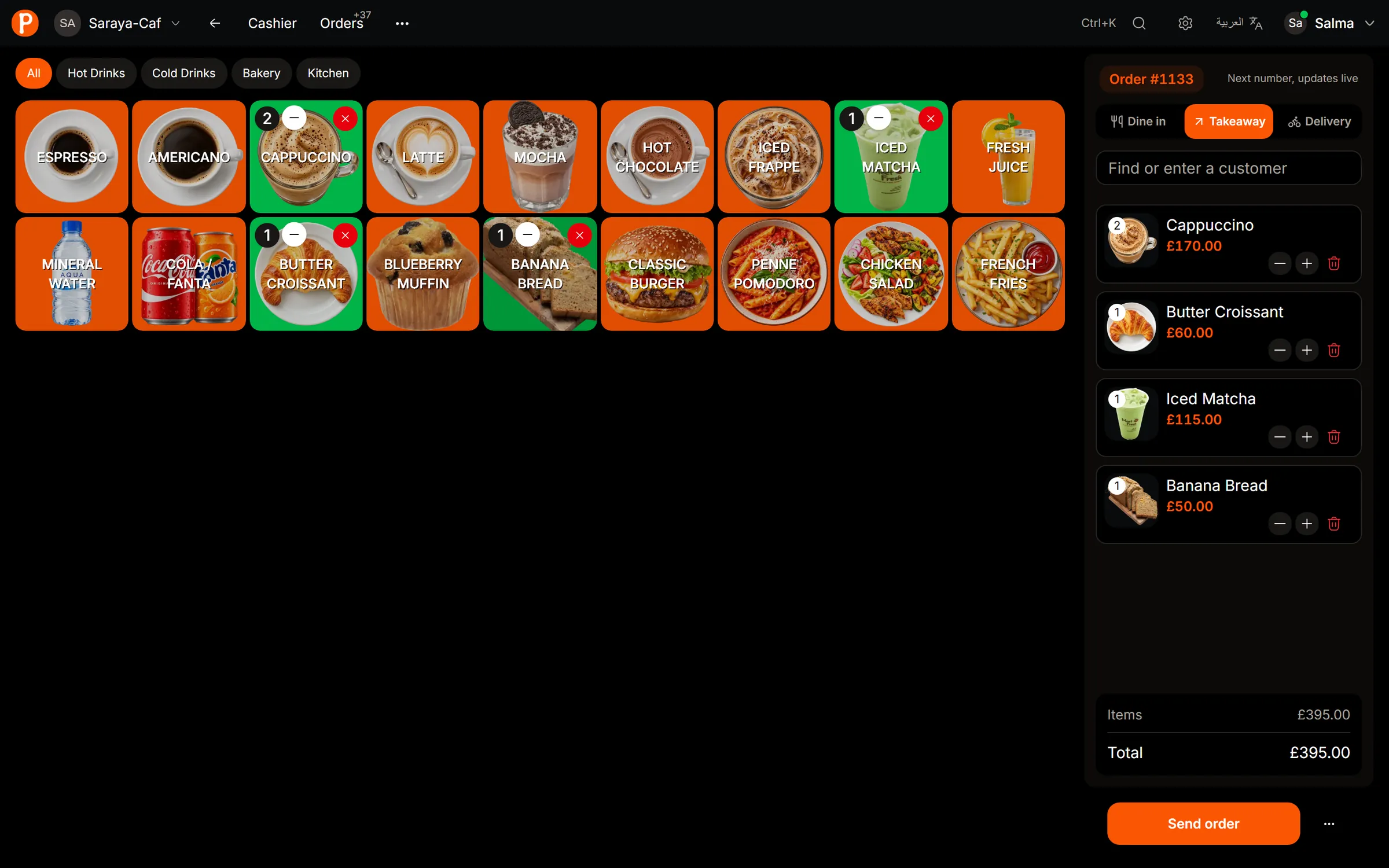
Dine-in, takeaway and delivery orders in a few taps, with sizes and add-ons.
- 02Tables and kitchen
A floor plan with live table status, and a kitchen screen that updates as orders come in.
- 03Menu and QR menu
Products, photos and prices in one place, plus a QR menu guests open on their phones.
- 04Stock and recipes
Recipes take stock down as you sell, so you see what is running low before it runs out.
- 05Expenses and profit
Record bills as they happen and see what the day earned after costs.
- 06Shifts and cash
Open and close shifts, count the drawer, and track cash in and out.
- 07Team and roles
Owners, managers and cashiers each see and do only what their role allows.
- 08Puffy AI
Ask about sales, stock and customers in Arabic or English, or import a menu from a photo.
Take the order. Know how the day went.
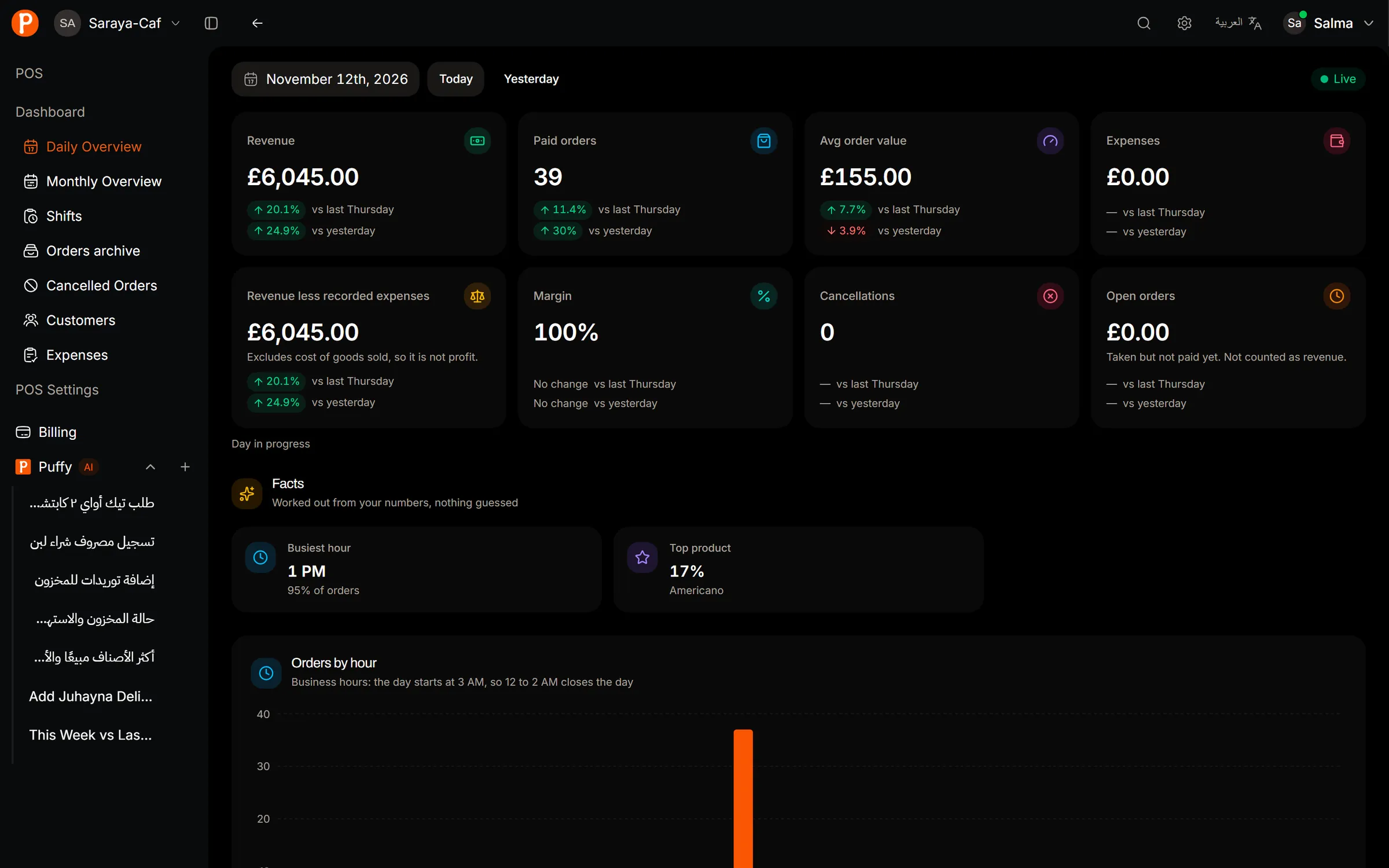
Revenue, paid orders, average order, expenses and the busiest hour, live.
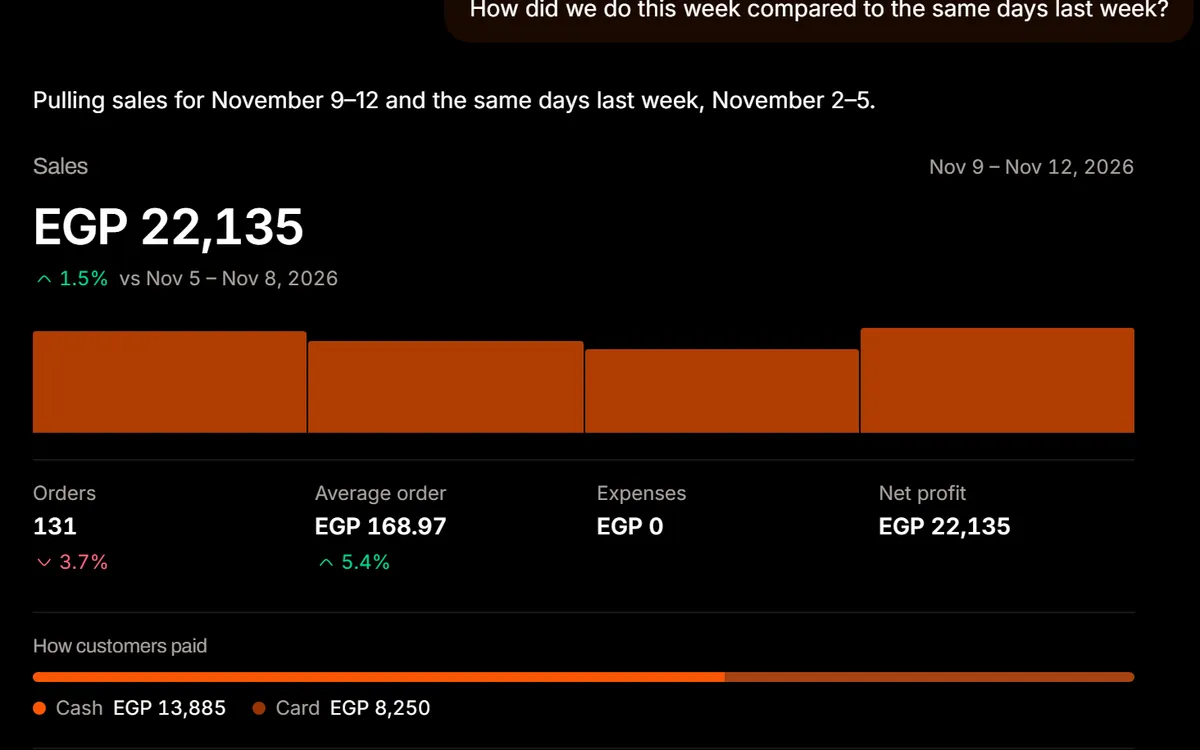
Compare weeks, find your best sellers or check stock in plain words.
See what Puffy can doLessons from behind the counter.
- Keep service moving.
The menu and the current order stay on one screen, so nobody waits on the software.
- See the day clearly.
Sales, payments and cash movements are ready when it is time to close.
- Give every role the right view.
Permissions for cashiers, managers and owners, without sharing every key.
- Answers you can check.
Puffy reads your live records and asks you to confirm any change. It never guesses a number.
Your business data is yours. Read how we handle it, or ask us anything.Read the Privacy PolicyContact the team