A cashier system built for cafés in Egypt
PufferPOS runs on the laptop, tablet or phone you already have. Take orders at the counter or the table, send them to the bar, close the shift with a counted drawer and see what sold, all in Arabic or English.
- Sizes, sugar levels and extras on every drink, priced correctly.
- Shifts with cash in, cash out and a counted drawer at close.
- Tables, kitchen or bar screen and a QR menu, included in Starter.
- Prices in Egyptian pounds and a 14-day free trial, no card needed.
What a café needs from a cashier
A café sells the same twenty drinks hundreds of times a day, each with a size, a milk, a sugar level and a few extras. The cashier has to make that fast at the rush, get the price right every time, and tell the owner at night whether the drawer matches the sales.
- Item tiles by category with search, so a new barista finds a drink in seconds.
- Sizes and extras with their own prices, added in one tap.
- Takeaway and dine-in orders, with the table on each dine-in order.
- Payment by cash, card or wallet.
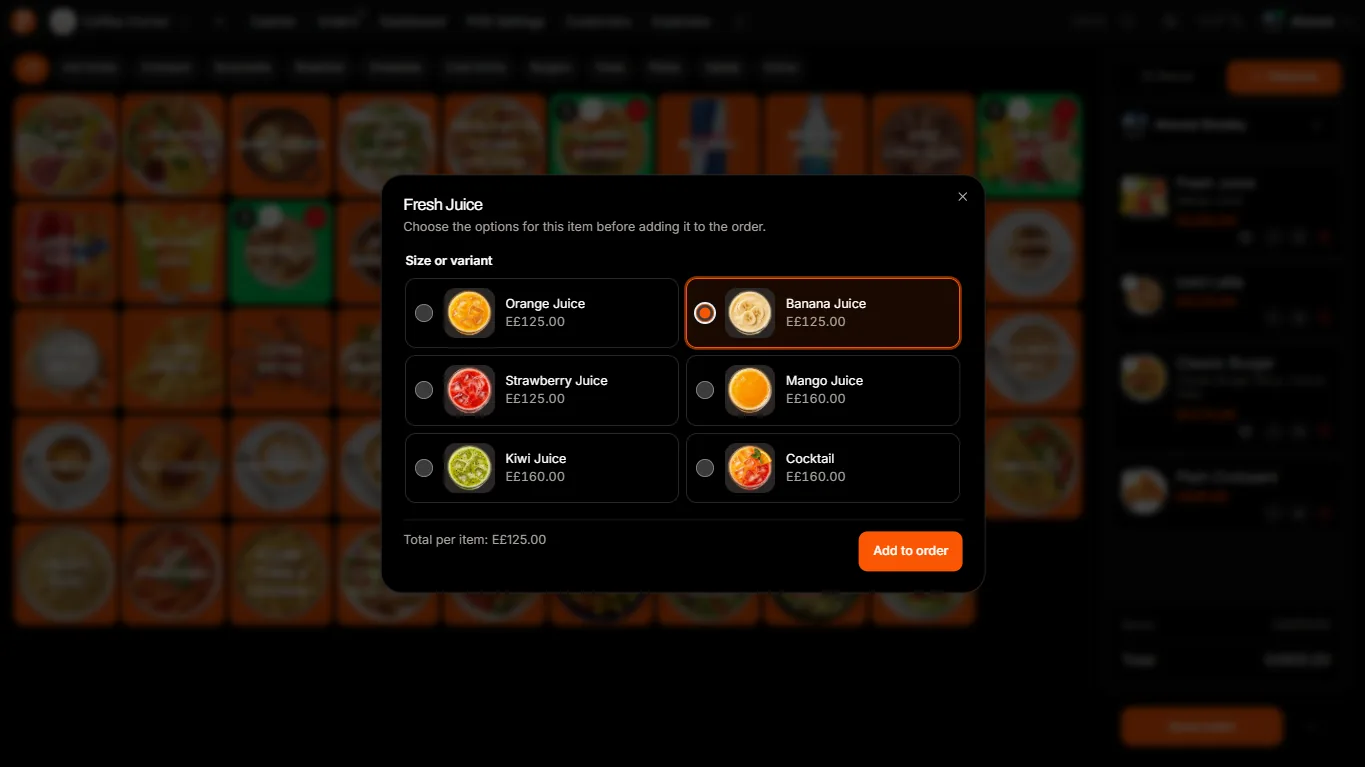
A day in your café on PufferPOS
Open the shift
The cashier starts a shift with the opening cash. Every order and cash movement belongs to that shift.
Take orders and send them to the bar
Orders appear on the kitchen screen as New, Preparing and Ready, on any tablet or screen at the bar.
Print the receipt
Print 58 mm or 80 mm receipts in Arabic and English on a common thermal printer such as an Xprinter.
Close the shift
Count the drawer, record what went in and out, and see the difference before anyone leaves.
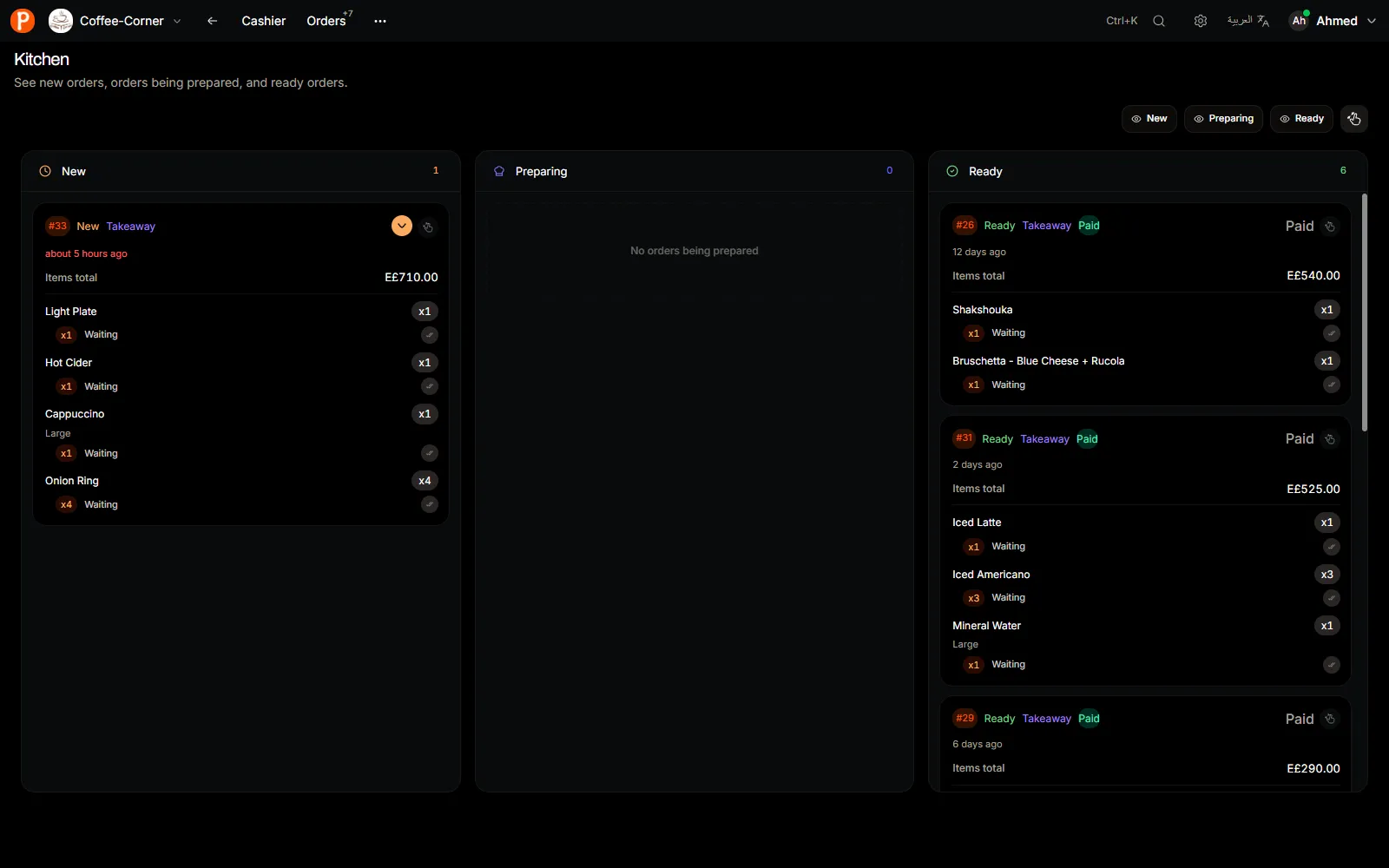
What the owner sees
- Daily and monthly sales, top items and cancelled orders on the dashboard.
- Each shift’s cash difference and who worked it.
- Staff accounts with roles, so a cashier cannot cancel orders without permission.
- On Growth: stock, expenses and profit, and Puffy, an AI assistant that answers questions about your numbers.
PufferPOS needs an internet connection. A mobile hotspot is enough as a backup if the café’s line drops.
Price
Most cafés start on Starter: one branch and five accounts, with the cashier, tables, kitchen screen, shifts and QR menu. Growth adds stock, expenses, AI and a second branch.
| Plan | Monthly | Quarterly | Yearly |
|---|---|---|---|
| Starter 1 branch · 5 accounts per branch | EGP 800 | EGP 2,208 | EGP 7,680 |
| Growth 2 branches · 15 accounts per branch | EGP 2,200 | EGP 6,072 | EGP 21,120 |
Questions café owners ask
Do I need to buy a special device?
No. PufferPOS runs in the browser on a Windows laptop, a Mac, an Android tablet, an iPad or a phone. For printed receipts, keep a Windows PC or laptop with a thermal printer at the counter.
How long does setup take?
About fifteen minutes for a small menu. You can type items in, import a CSV file, or on Growth and the trial, upload photos of your paper menu for AI to read.
Does it work in Arabic?
Yes. Every screen works in Arabic and English, and each person picks their own language. Receipts print Arabic and English item names.
Can several cashiers work at once?
Yes. Everyone signs in on their own device and sees the same orders live. Starter includes five accounts, including the owner.